Edit SOP
Update steps, swap photos, or polish the wording.
Overview
Title and category appear at the top of every output format.
Step 1
of 10Paste from clipboard, drop a file, or click upload
Paste a screenshot, drop an image here, or use the button below.
Step 2
of 101 attached · paste, drop, or upload to add more
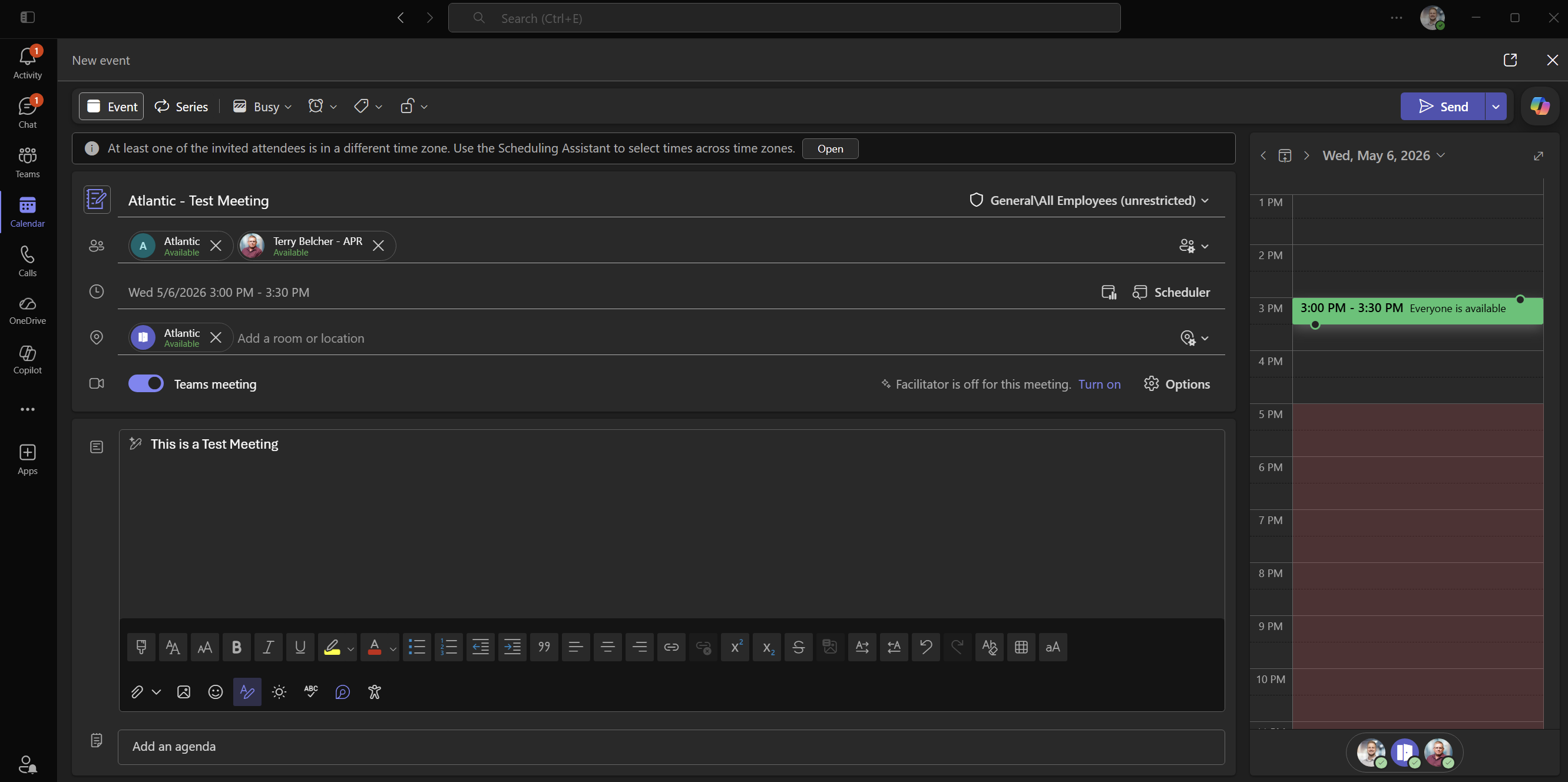
Step 3
of 10Paste from clipboard, drop a file, or click upload
Paste a screenshot, drop an image here, or use the button below.
Step 4
of 10Paste from clipboard, drop a file, or click upload
Paste a screenshot, drop an image here, or use the button below.
Step 5
of 101 attached · paste, drop, or upload to add more
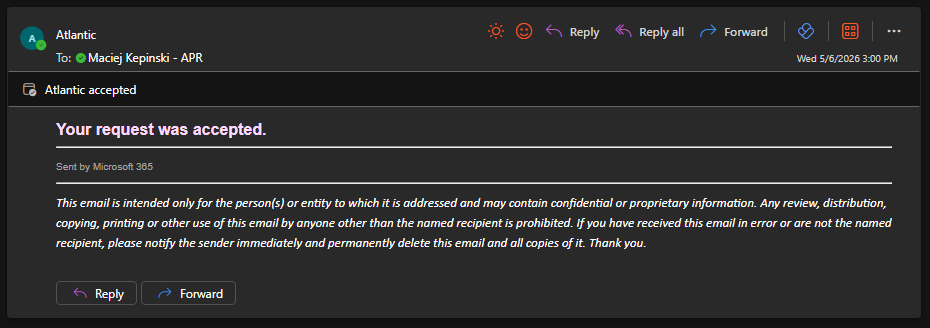
Step 6
of 10Paste from clipboard, drop a file, or click upload
Paste a screenshot, drop an image here, or use the button below.
Step 7
of 101 attached · paste, drop, or upload to add more
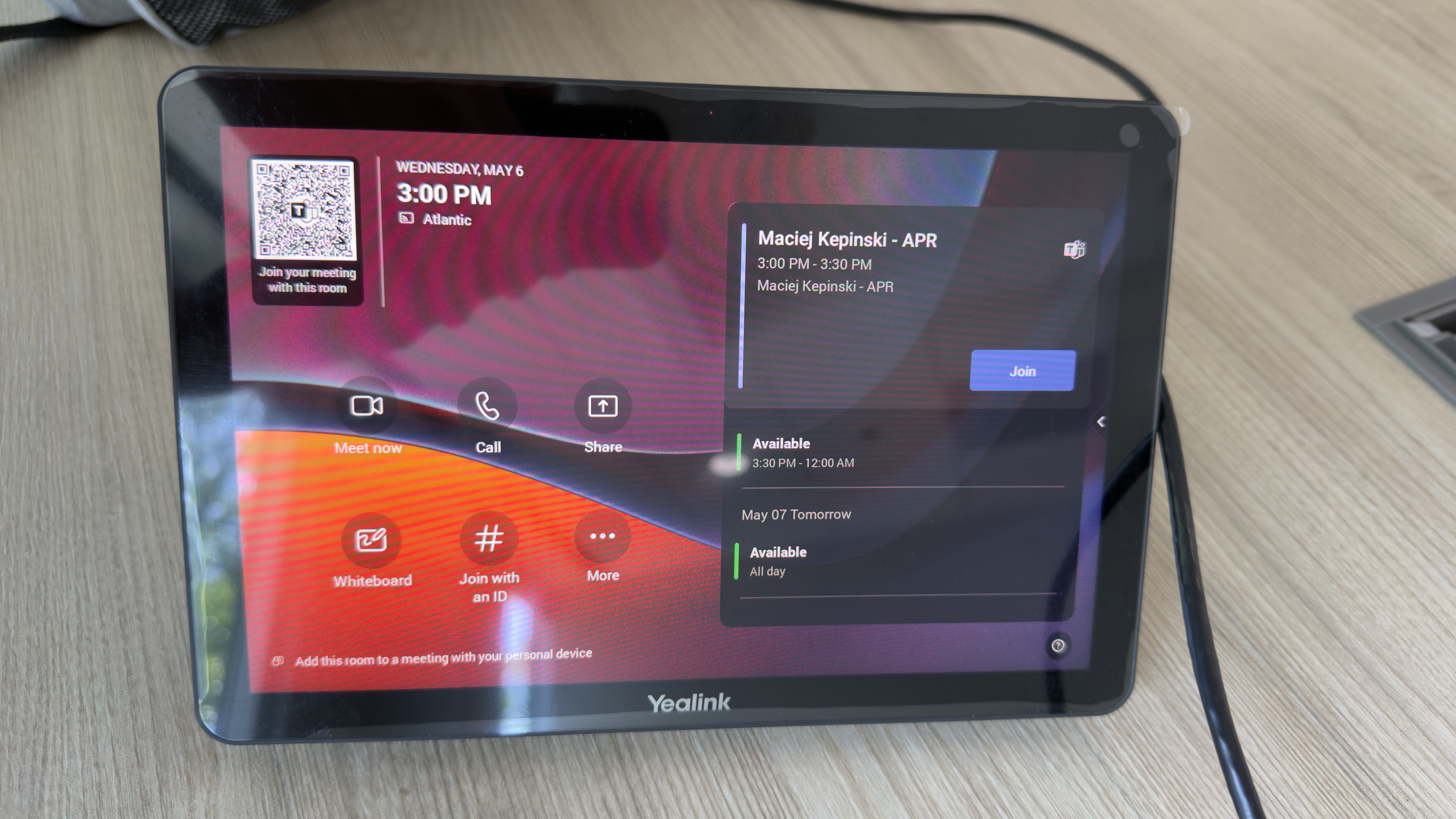
Step 8
of 101 attached · paste, drop, or upload to add more
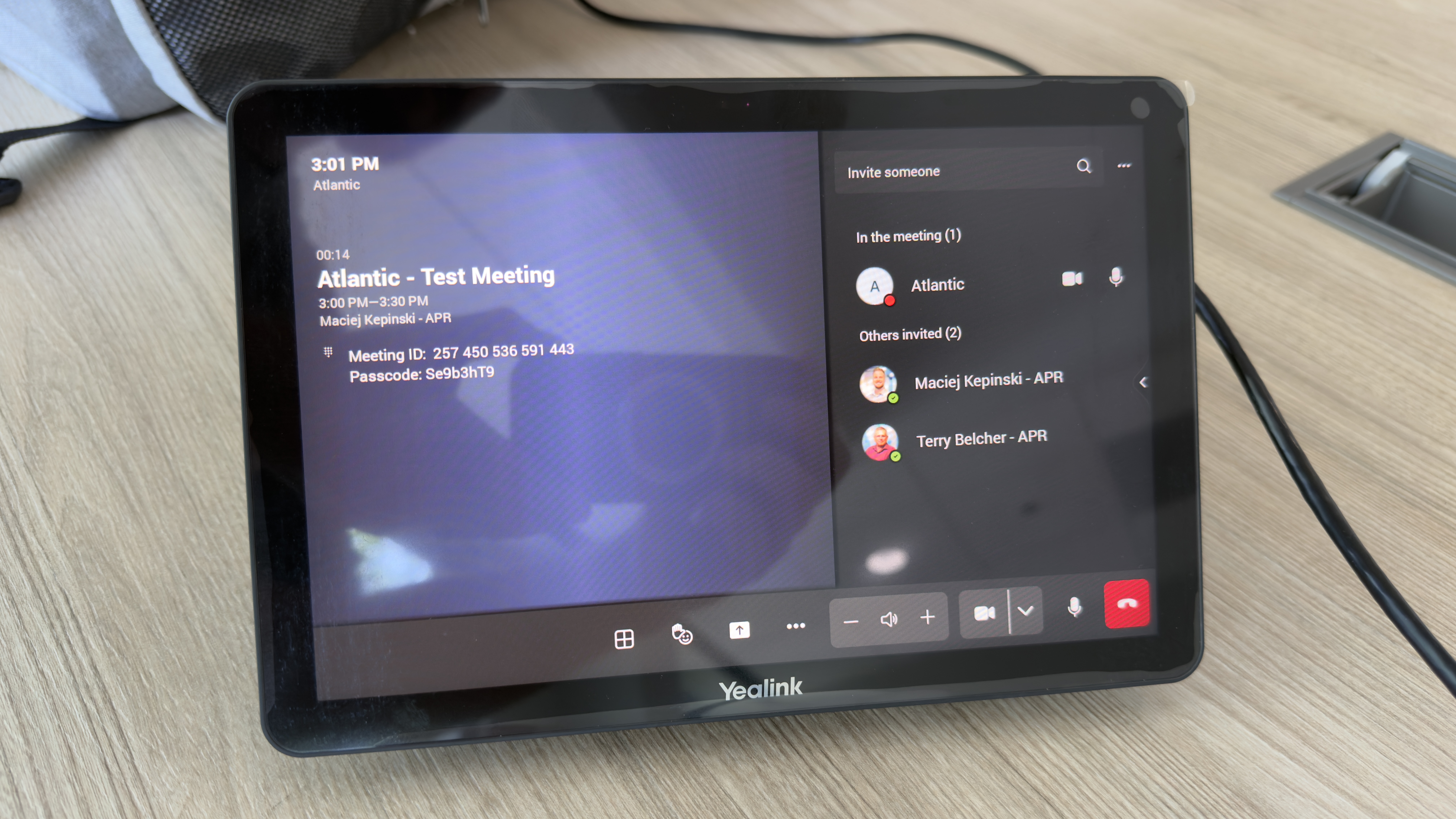
Step 9
of 10Paste from clipboard, drop a file, or click upload
Paste a screenshot, drop an image here, or use the button below.
Step 10
of 10Paste from clipboard, drop a file, or click upload
Paste a screenshot, drop an image here, or use the button below.